.ics roster
Create the planned LogTen Pro flights with route, aircraft type and Scheduled Out/In.

Always start with the Crew Link Mobile .ics roster. It creates the planned LogTen Pro flight with its route, aircraft type and scheduled departure and arrival. Then add the Air Ready crew list before departure and the Flight Folder dashboard after landing.
The later screenshots update the flight created by the .ics roster. Do not begin with a crew list or dashboard, and do not select both screenshots together.
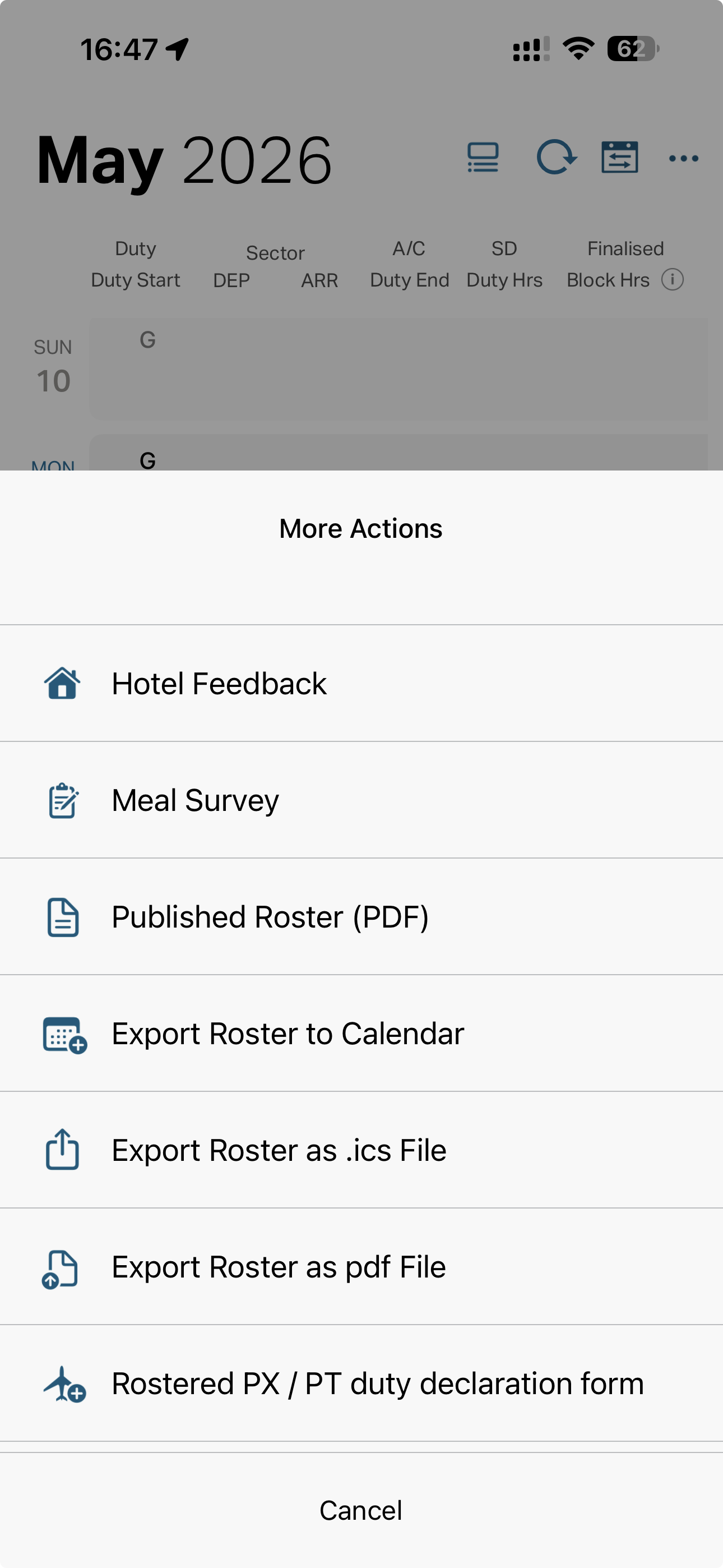
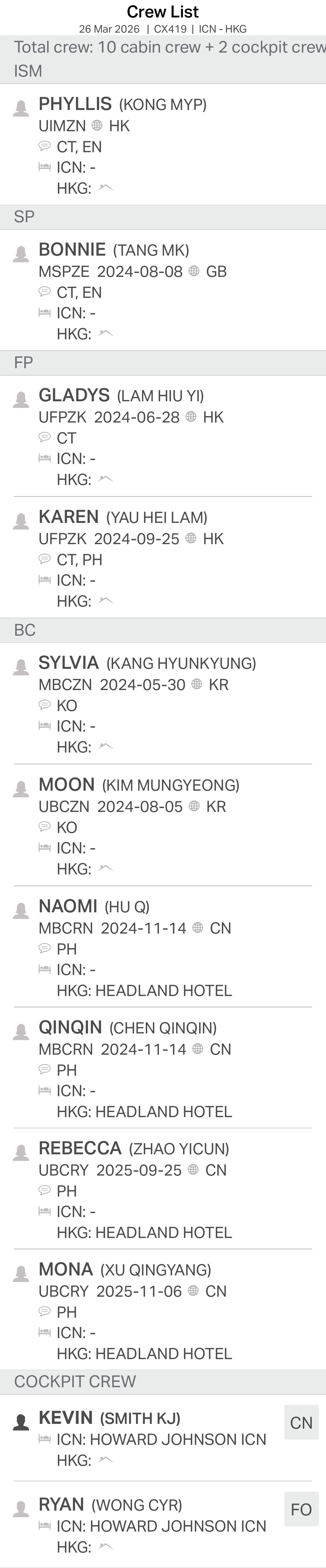
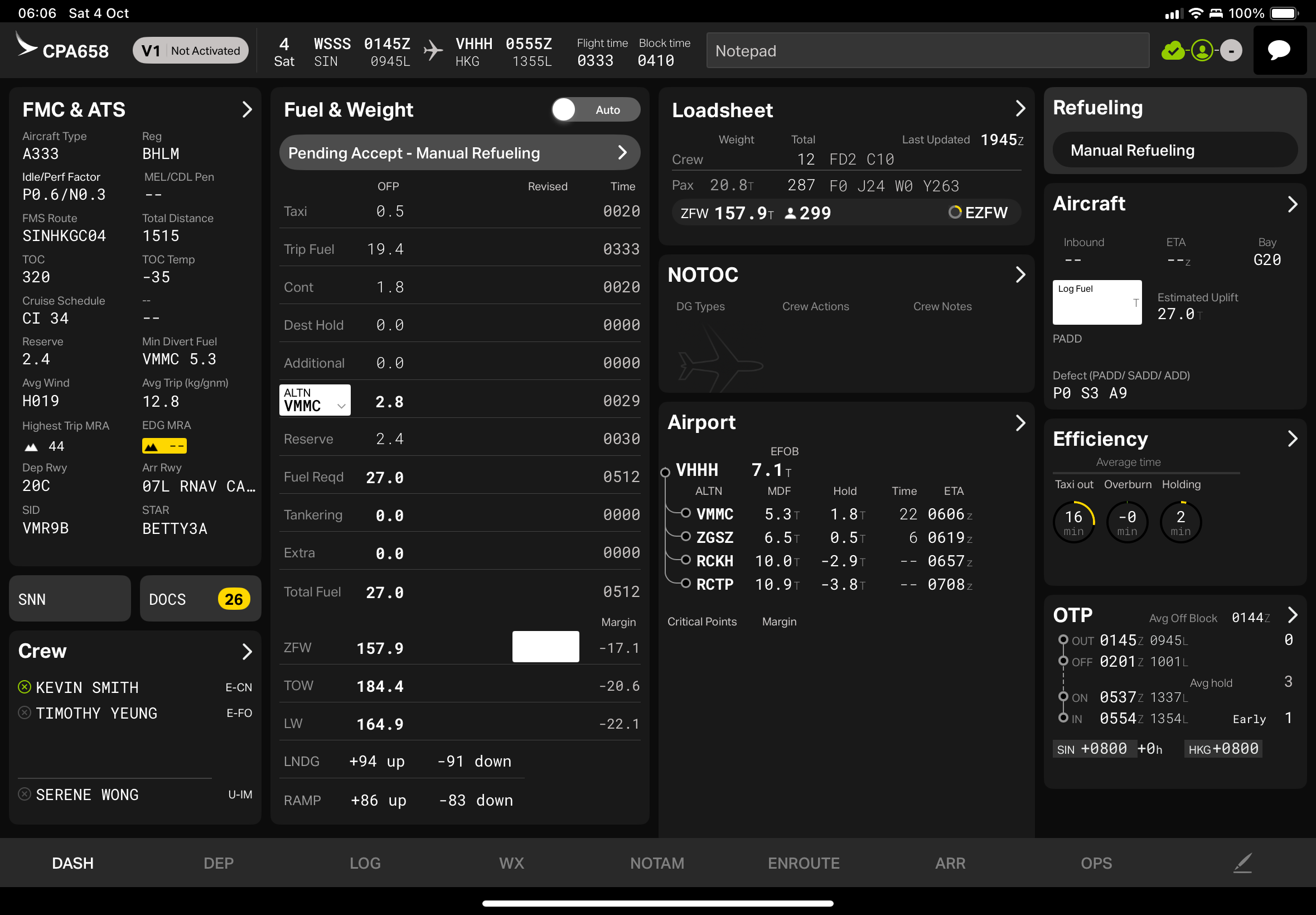
Each source updates a different part of the same flight. The crew list and dashboard are not substitutes for the roster import.
Create the planned LogTen Pro flights with route, aircraft type and Scheduled Out/In.
Add names and roles to those flights from one Air Ready crew list.
Complete those flights with tail registration and actual times after landing.
See whether each flight has roster, crew, time and export data.
Check every field before export. OCR is assistance, not authority.
The .ics roster is not optional setup; it is the first import for each roster period. After those planned flights exist in LogTen, add one crew list and then one dashboard at a time.
Quick answers about screenshots, OCR, privacy, and support.
First import and export the Crew Link Mobile .ics roster. Then import the Air Ready crew list. After landing, import the Flight Folder dashboard. Each later step updates the flight created in step one.
It provides the planned flight data the screenshots do not reliably replace: route, aircraft type, and scheduled departure and arrival in LogTen's native Scheduled Out/In fields.
FlightCapture uses Apple's Vision OCR framework on device where available.
Yes. FlightCapture exports through LogTen's URL API, so LogTen Pro must be installed on the same device.
Yes. Use Settings > LogTen Integration to map each FlightCapture role to the exact LogTen field slot you use. If your ISM role is backed by Custom 1 in LogTen, FlightCapture sends that crew member to flight_selectedCrewCustom1.
History keeps a local processing trail so you can see whether a flight came from the roster, had crew names added, received post-flight times, and was exported to LogTen.
Remove names, staff numbers, flight-sensitive details, and company-confidential content before sending any support material.
OCR quality depends on screenshot clarity, layout, contrast, and whether the expected page is fully visible.
Purchases are processed by Apple's App Store infrastructure. bulletproofMedia does not receive payment card details.